MathMagic Lite3.6.2
Publisher Description
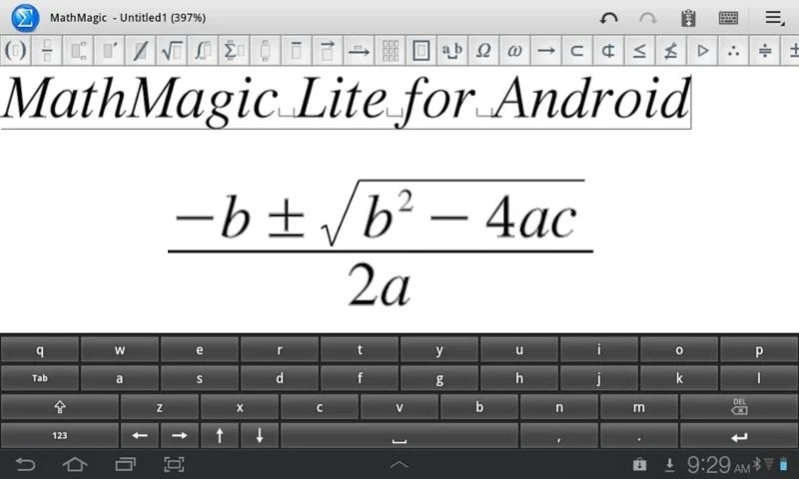


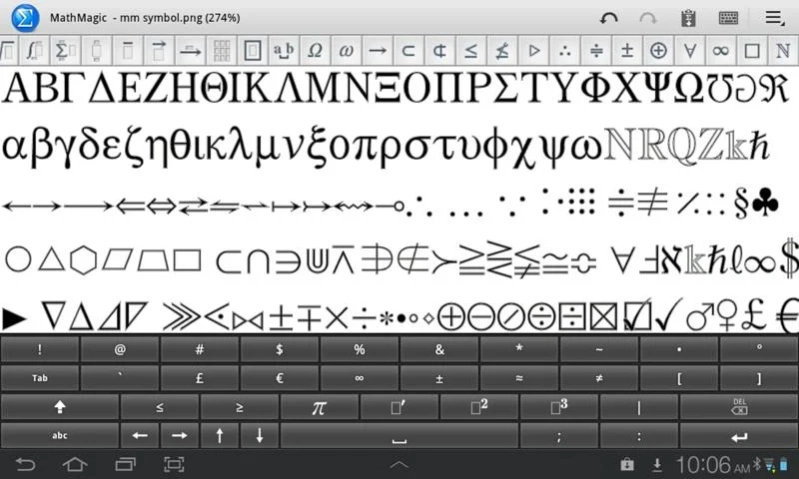
MathMagic - the ultimate equation editor on the planet.
MathMagic Lite is one of the best free equation editors on the planet.
MathMagic products have been widely used in higher educations and DTP market since 1998 on both Mac and Windows.
MathMagic Lite is an easy to use WYSIWYG equation editor with LaTeX, Wolfram Alpha, and Text-To-Speech support.
It lets you enter mathematical Formula, math expressions, and various scientific symbols easily and then use them in your word processors, presentations, web contents, technical publications, and more.
MathMagic is the best choice for writing equations and symbols for Mathematics, Physics, Science and Chemistry.
MathMagic equation image can be opened and re-edited later even if saved in PNG.
Version 2.2 supports 'Share' menu.
About MathMagic Lite
The company that develops MathMagic Lite is InfoLogic Canada. The latest version released by its developer is 3.6.2. This app was rated by 2 users of our site and has an average rating of 3.8.
To install MathMagic Lite on your Android device, just click the green Continue To App button above to start the installation process. The app is listed on our website since 2024-07-21 and was downloaded 434 times. We have already checked if the download link is safe, however for your own protection we recommend that you scan the downloaded app with your antivirus. Your antivirus may detect the MathMagic Lite as malware as malware if the download link to com.infologic.mathmagiclite is broken.
How to install MathMagic Lite on your Android device:
- Click on the Continue To App button on our website. This will redirect you to Google Play.
- Once the MathMagic Lite is shown in the Google Play listing of your Android device, you can start its download and installation. Tap on the Install button located below the search bar and to the right of the app icon.
- A pop-up window with the permissions required by MathMagic Lite will be shown. Click on Accept to continue the process.
- MathMagic Lite will be downloaded onto your device, displaying a progress. Once the download completes, the installation will start and you'll get a notification after the installation is finished.
Program Details
System requirements
Download information
Pricing
Version History
version 3.6.2
posted on 2024-07-21
Added: 18 more arrow symbols are added to the Arrpow Symbol palette.
Changed: SDK updated to support newer API level to meet Google Play Store requirements.
version 3.6.1
posted on 2022-10-16
* Added several more Box and Frame templates
version 3.3.0
posted on 2022-04-17
Added: 8 more template buttons added to the Negate Template palette (4 Negate accents to the previous character, 4 Negate template boxes)
version 3.2.0
posted on 2022-01-13
* Added: Square Root Template palette has more template items.
* Fixed: The last button (power of -1) of Superscript / Subscript palette caused an unexpected quit.
version 3.1.0
posted on 2021-10-13
* Changed: Tooltips of MathMagic keyboard removed.
* Fixed: "See Result in WolframAlpah" was not working.
* Fixed: Plus-minus sign of MathMagic keyboard entered Plus sign
incorrectly.
version 3.0.0
posted on 2020-10-18
Changed: Menu command items rearranged and some items removed to simplify menu commands.
Changed: The default keyboard changed to MathMagic keyboard for devices with smaller screen.
Changed: Newer API level for better performance and compatibility with newer OS versions.
Fixed: Some crashing issues while saving.
version 2.7.0
posted on 2018-06-26
Added: Button names added for commonly used items for compatibility with TalkBack reading.
version 2.2.0
posted on 2016-06-14
v2.2,* "Share" menu added to help share equations with other Apps more easily.
version 1.2.0
posted on 2013-01-14
Several fixes and updates
